Start with an image
Work with low ceilings, limited daylight and zones
Use a clear room photo to explore low-ceiling lighting, media and recreation zones and storage around existing services. State what should stay before comparing changes; the result is a visual proposal to review against your actual room.
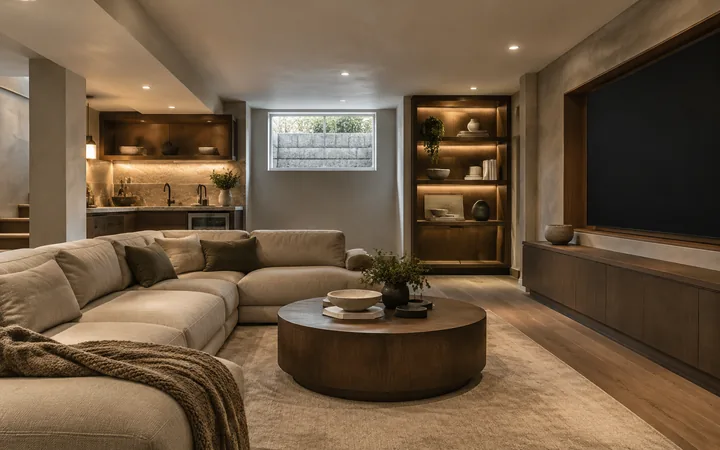
What to explore
- Explore low-ceiling lighting with a clear priority before choosing a visual direction.
- Compare how media and recreation zones interacts with the rest of the room.
- Discuss storage around existing services with a designer using an annotated concept image.
From a brief to a concept
Choose the room view
Choose a level, well-lit photo that includes columns, beams, stairs and visible service access; a close crop can hide important constraints.
Set one design priority
Choose a direction below and adapt it to columns, beams, stairs and visible service access. Use the workspace's available controls and add the remaining requirements in words.
Review the relationships
Check whether the concept retains visible structural elements and provides a believable route to the stairs.
Try a design direction
Suggested brief
Retain columns and beams. Use light wall finishes, low-profile lighting and flexible seating around an open recreation area without enclosing the stair route.
How to review the result
- Check whether the concept retains visible structural elements and provides a believable route to the stairs.
- Compare low-ceiling lighting and media and recreation zones together; attractive finishes should not hide changes to columns, beams, stairs and visible service access.
What the image cannot establish
- Output is an AI concept image, not an editable model, a measured plan or a purchasing specification.
- The image cannot confirm construction, product performance or site conditions. Verify columns, beams, stairs and visible service access and relevant installation requirements independently.
Before you begin
- Choose a level, well-lit photo that includes columns, beams, stairs and visible service access; a close crop can hide important constraints.
- List what must remain, then describe changes to low-ceiling lighting and media and recreation zones separately.
Questions about this workflow
Can a concept prove the basement is suitable for a bedroom?
No. Moisture, ventilation, headroom, escape openings and occupancy rules must be assessed locally. A convincing furnished image cannot establish habitability.
What should the source photo show?
Include columns, beams, stairs and visible service access and enough surrounding context to understand the room. Strong perspective or hidden corners can make the interpretation less reliable.
What should I compare when exploring low-ceiling lighting?
Change one direction at a time and inspect media and recreation zones and storage around existing services in the same image. Check whether the concept retains visible structural elements and provides a believable route to the stairs.
Will everything I ask to keep stay unchanged?
No preservation request is guaranteed. Check columns, beams, stairs and visible service access against the source photo and reject concepts that change a required element.
Bring your own brief
Take a direction into the workspace, adapt it to your project and compare the result against your real constraints.