Start with a written brief
Coordinate finishes across an interior
Build a written brief around wall and floor transitions, lighting hierarchy and existing architectural features. This generator starts from words, so describe the room's proportions and the relationships you want rather than expecting it to reconstruct an existing home.
What to explore
- Explore wall and floor transitions with a clear priority before choosing a visual direction.
- Compare how lighting hierarchy interacts with the rest of the room.
- Discuss existing architectural features with a designer using an annotated concept image.
From a brief to a concept
Describe the space
Describe the room shape, approximate proportions and doors, windows and major partitions; state these as requirements, not measured output.
Set one design priority
Choose a direction below and adapt it to doors, windows and major partitions. Use the workspace's available controls and add the remaining requirements in words.
Review the relationships
Follow the floor finish through doorways and check that wall junctions still make sense.
Try a design direction
Suggested brief
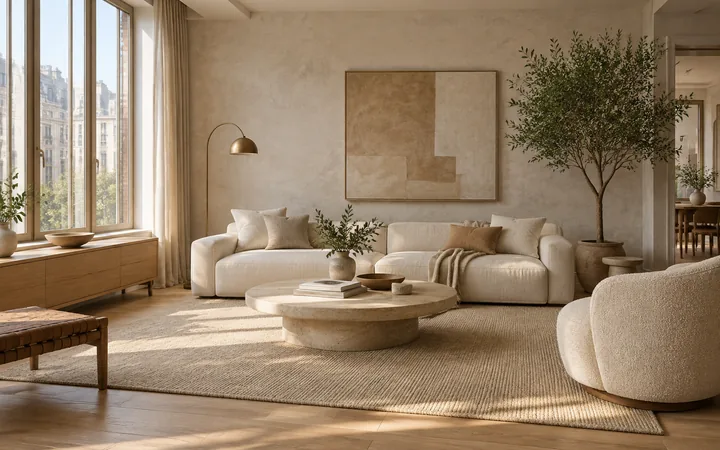
Create one interior concept from this written brief: Use pale oak, matte mineral walls and warm indirect light. Show two connected zones with a clear doorway and continuous floor finish.
How to review the result
- Follow the floor finish through doorways and check that wall junctions still make sense.
- Compare wall and floor transitions and lighting hierarchy together; attractive finishes should not hide changes to doors, windows and major partitions.
What the image cannot establish
- Output is an AI concept image, not an editable model, a measured plan or a purchasing specification.
- The image cannot confirm construction, product performance or site conditions. Verify doors, windows and major partitions and relevant installation requirements independently.
Before you begin
- Describe the room shape, approximate proportions and doors, windows and major partitions; state these as requirements, not measured output.
- Choose one main priority such as wall and floor transitions and explain how lighting hierarchy should support it.
Questions about this workflow
How is this different from designing one room?
Use this page for an overall material and lighting direction. When the main question is a kitchen worktop or a bedroom storage wall, the dedicated room guide gives a more focused brief.
Do I need an existing room photo?
No. This is a text-first entry. Include doors, windows and major partitions in your description if those constraints matter. Use the matching design guide when you want to start from a photo.
What should I compare when exploring wall and floor transitions?
Change one direction at a time and inspect lighting hierarchy and existing architectural features in the same image. Follow the floor finish through doorways and check that wall junctions still make sense.
Will it reproduce my real room?
A written brief creates an imagined space. It does not recover the dimensions, furniture or viewpoint of your real room.
Bring your own brief
Take a direction into the workspace, adapt it to your project and compare the result against your real constraints.