Start with an image
Rework a multipurpose room from your own photo
Use a clear room photo to explore a guest-and-work arrangement, storage for mixed activities and a clear focal zone. State what should stay before comparing changes; the result is a visual proposal to review against your actual room.
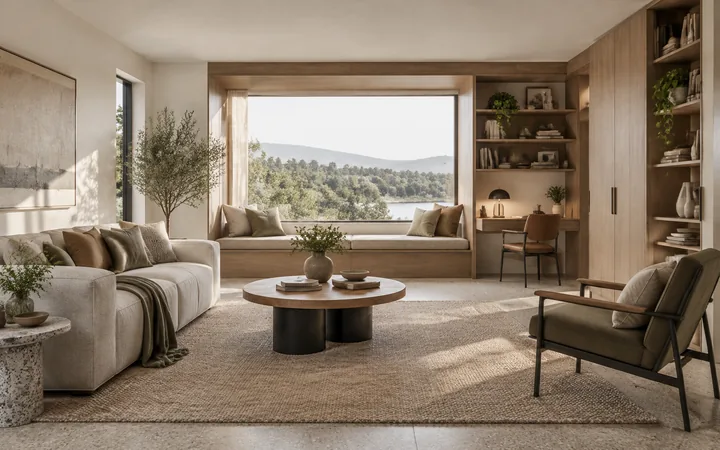
What to explore
- Test whether a desk and guest bed can share the visible room without blocking the window.
- Compare closed storage with open shelving while using the same source viewpoint.
- Mark which changes to keep or reject on a concept before discussing the room with a designer.
From a brief to a concept
Choose the room view
Choose a level, well-lit photo that includes the entrance, window access and the furniture that must remain; a close crop can hide important constraints.
Set one design priority
Choose a direction below and adapt it to the entrance, window access and the furniture that must remain. Use the workspace's available controls and add the remaining requirements in words.
Review the relationships
Check whether the secondary activity still has usable space when the main furniture is in use.
Try a design direction
Suggested brief
Combine a compact desk with a daybed and closed storage. Separate the work surface from the sleeping zone and keep the window accessible.
Suggested brief
Place a robust craft table near daylight, use closed storage for supplies and leave an open route around the main work surface.
How to review the result
- Compare the original and concept at the same viewpoint: did doors, windows, fixed cabinetry or furniture you asked to keep move?
- Review the room in both modes: a usable desk by day and an open sleeping surface at night. A perspective image cannot establish clearance.
What the image cannot establish
- The photo shows only one view; hidden corners, wall lengths and utilities are not recovered from it.
- Preservation instructions can be missed. Reject concepts that move fixed features, and measure furniture and routes before buying or renovating.
Before you begin
- Choose a level, well-lit photo that includes the entrance, window access and the furniture that must remain; a close crop can hide important constraints.
- List what must remain, then describe changes to a guest-and-work arrangement and storage for mixed activities separately.
Questions about this workflow
Should I choose a room-specific guide instead?
Choose a specific guide when the room has a clear purpose such as sleeping, cooking or exercise. This general guide is useful when you are still deciding how activities should share one room.
What should the source photo show?
Include the entrance, window access and the furniture that must remain and enough surrounding context to understand the room. Strong perspective or hidden corners can make the interpretation less reliable.
What should I compare when exploring a guest-and-work arrangement?
Change one direction at a time and inspect storage for mixed activities and a clear focal zone in the same image. Check whether the secondary activity still has usable space when the main furniture is in use.
Will everything I ask to keep stay unchanged?
No preservation request is guaranteed. Check the entrance, window access and the furniture that must remain against the source photo and reject concepts that change a required element.
Should I use Room Generator or Room Planner instead?
Use Room Generator when you only have a written idea. Use Room Planner for a top-down layout concept. Stay with photo-based Room Design when the question is how the visible room could look after furniture, storage or finish changes.
Bring your own brief
Take a direction into the workspace, adapt it to your project and compare the result against your real constraints.