How to Remove Furniture from a Room Photo with AI
Clear furniture from a room photo with Eaveform AI Empty Room. Prepare your source, specify what to retain and review reconstructed walls and floors.
Featured tool: AI Empty Room
Planning a new living room layout can be difficult when the existing sofa, tables and rugs dominate every photo. If you cannot photograph the room empty, AI furniture removal can help you explore what the space might look like without those objects.
Eaveform's AI Empty Room generates an empty-room concept while aiming to retain the existing walls, floor, doors, windows and fixed fittings. Use it as a starting point for layout discussions, design comparisons or preparing a virtual staging study.
This guide explains which photos work best, how to describe what should disappear and what to check when the result needs another attempt.
When is AI furniture removal useful?
Exploring a new furniture layout. Existing furniture can limit how you imagine a room. An empty-room concept makes it easier to discuss sofa positions, circulation and dining areas. You can then use AI Interior Design or AI Room Design to explore a new arrangement.
Preparing a property presentation. A crowded or highly personal interior can distract from the room itself. An empty-room study can help you decide whether to restage it. Disclose AI editing according to the requirements of your market and listing platform. To add a different furniture arrangement, continue with AI Virtual Staging.
Working from a photo you already have. If a clear photo is available but another visit is impractical, removing the furniture can support an early discussion without waiting for a new shoot.
AI cannot know what was behind a sofa or cabinet. It reconstructs hidden walls and floors from visible clues. The result is useful for visual exploration, not for checking concealed damage, services or construction conditions.
Choose a photo with enough information
The more clearly the source shows the room, the easier it is to judge the reconstructed areas. Prefer photos with:
- Good focus and even light, with visible corners, skirting boards and flooring.
- Doors, windows and several room edges, rather than a close-up of one object.
- Some exposed wall and floor around the furniture.
- Natural perspective without strong wide-angle distortion.
Avoid blurred or very dark photos, mixed lighting and furniture that hides almost the entire floor or wall. Crop away software panels, watermarks and unrelated annotations before uploading.
Make two lists: what to remove and what to retain. Sofas, loose chairs, coffee tables, rugs, plants and clutter may belong in the first. Built-in cabinets, fixed lights, air conditioning, bathroom fittings and curtains you need to keep should be named explicitly.
Remove furniture with Eaveform
1. Upload the room photo
Open AI Empty Room and upload a photo you have permission to use. Remove faces, documents and other private information first.
2. State what to remove and retain
“Empty this room” leaves important choices unspecified. A more useful brief identifies movable objects and the permanent features that must stay:
Empty this living room. Remove the sofa, loose chairs, coffee table, rug, plants and clutter. Retain the existing walls, floor, ceiling, doors, windows, built-in cabinets and fixed lights. Keep the original camera angle. Reconstruct the exposed areas naturally from the surrounding visible walls and flooring. Do not add new objects.
For partial removal, name each item: “Remove the coffee table and rug; keep the sofa, side table and floor lamp.”
3. Compare the output with the source
Check whether it still represents the same room before deciding whether it looks attractive:
- Are doors and windows in the same positions and proportions?
- Do corners, skirting boards and floor joints continue naturally?
- Have built-ins, air conditioning and wall lights remained?
- Are there furniture outlines or unexplained shadows?
- Do the reconstructed surfaces match the visible surroundings?
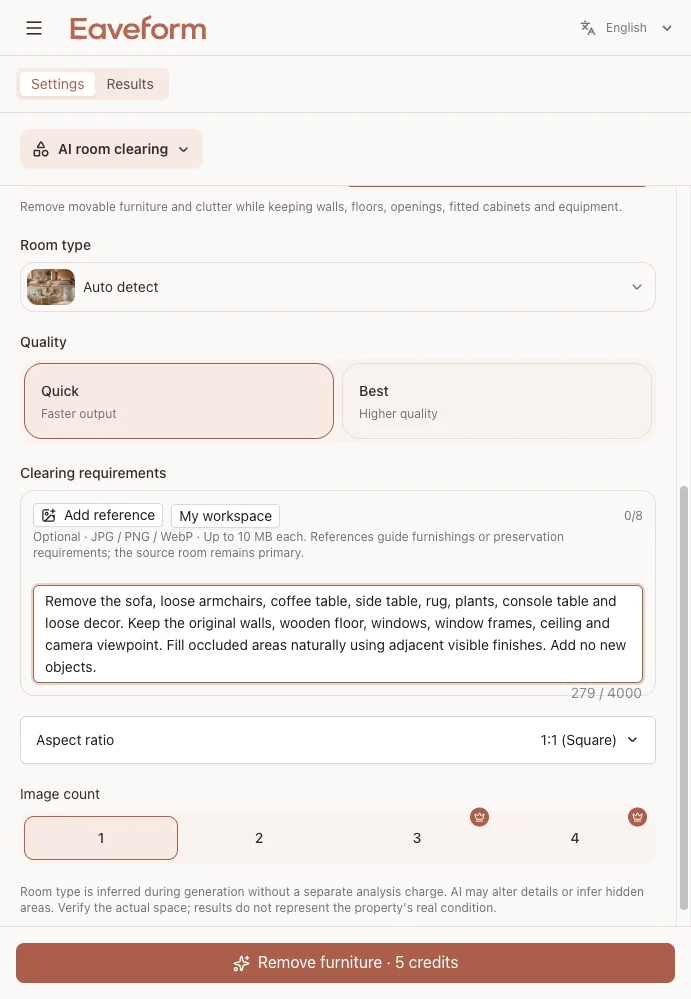
4. Refine a specific problem
If one area is wrong, name it: “Keep the built-in shelves on the left wall” or “Remove the remaining rug outline and its shadow.” Start again from the original photo rather than repeatedly editing an already distorted result.
Three room types and their checks
Living room: sofa, coffee table and rug
Look for continuous wall and skirting lines behind the sofa, a clean rug removal and believable flooring. The empty view can make relationships between the window, circulation route and seating area easier to discuss.
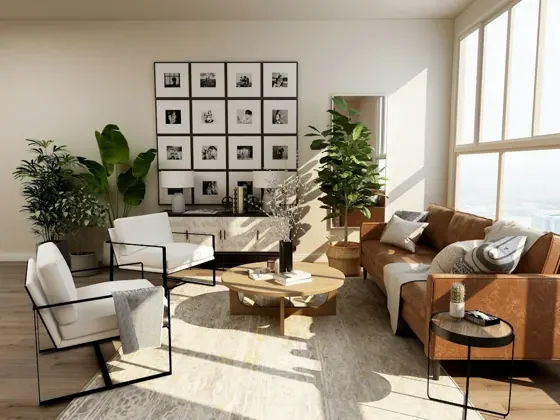
Before: furniture and plants conceal much of the wall and floor.
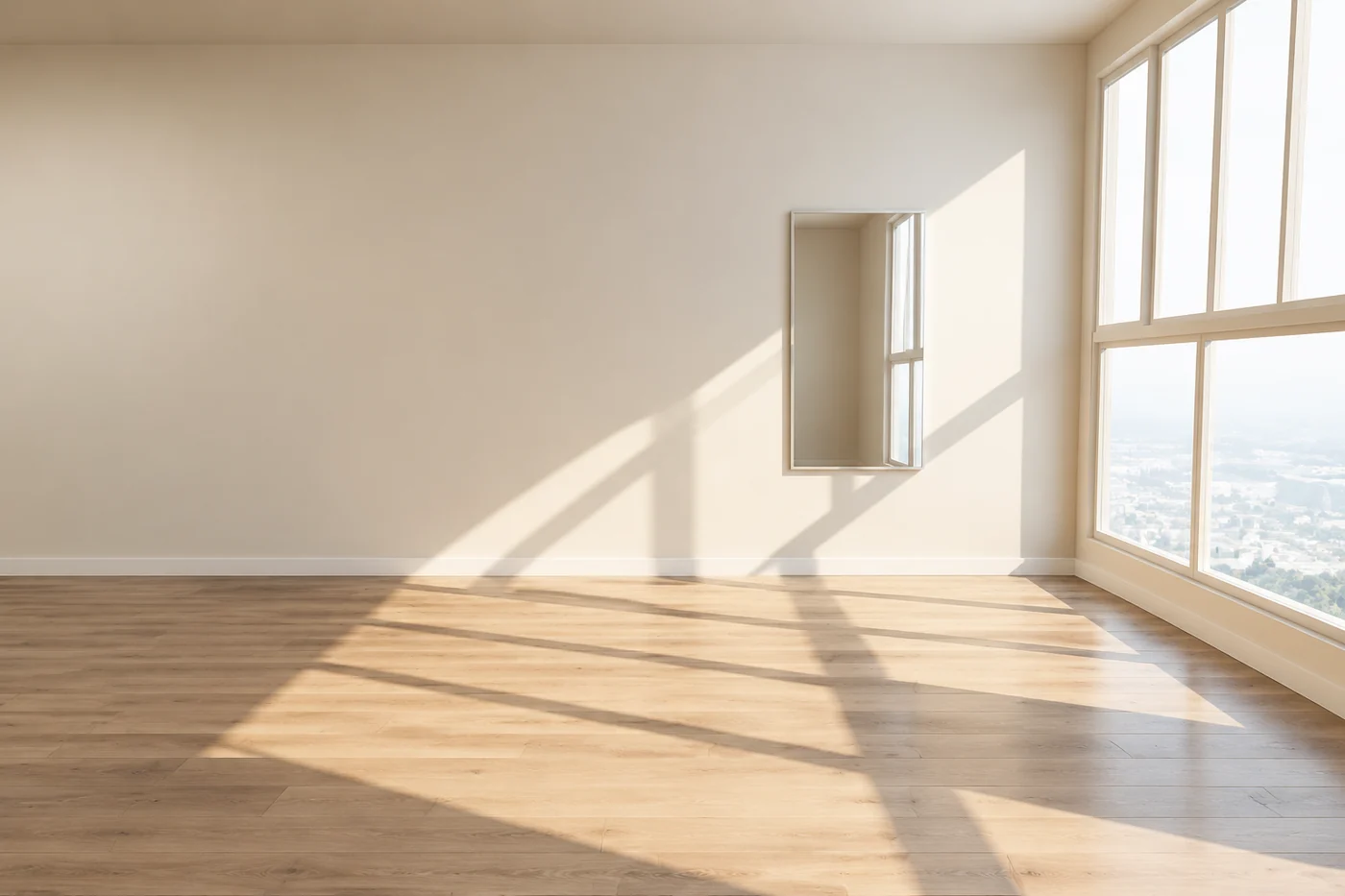
After: movable furniture is removed. Check the reconstructed flooring, wall and mirror against the source.
Bedroom: bed and bedside tables
Check that wall lights, pendants and curtains have not disappeared with the furniture. Look for invented doors or windows behind the bed and inconsistent flooring beside it.
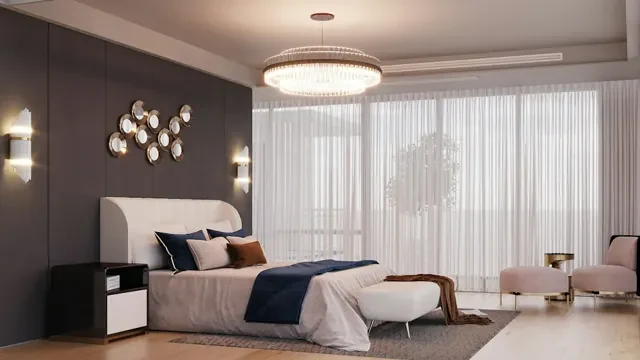
Before: the bed and bedside tables hide part of the wall and floor.
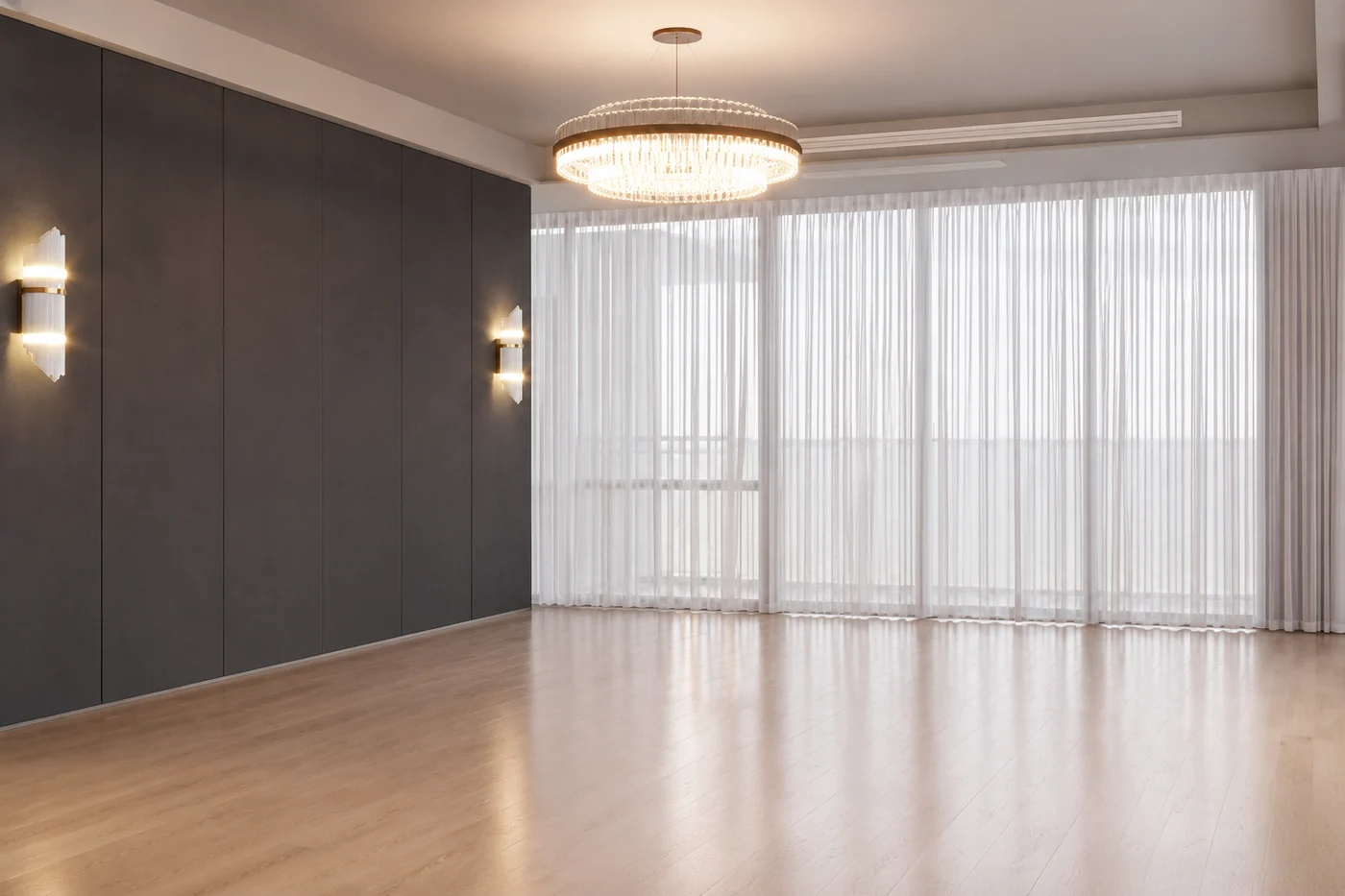
After: retained lights and curtains provide useful reference points for reviewing reconstructed surfaces.
Office: low cabinets and a sofa
Check that the selected cabinets and sofa are removed while glass partitions, fixed lights, the refrigerator and other retained equipment stay recognizable. Look for repeated floor textures or strange joins.
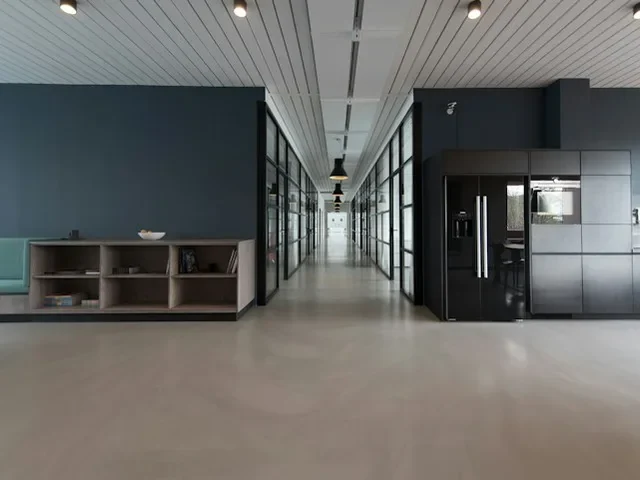
Before: the low cabinets and sofa on the left are the removal targets.
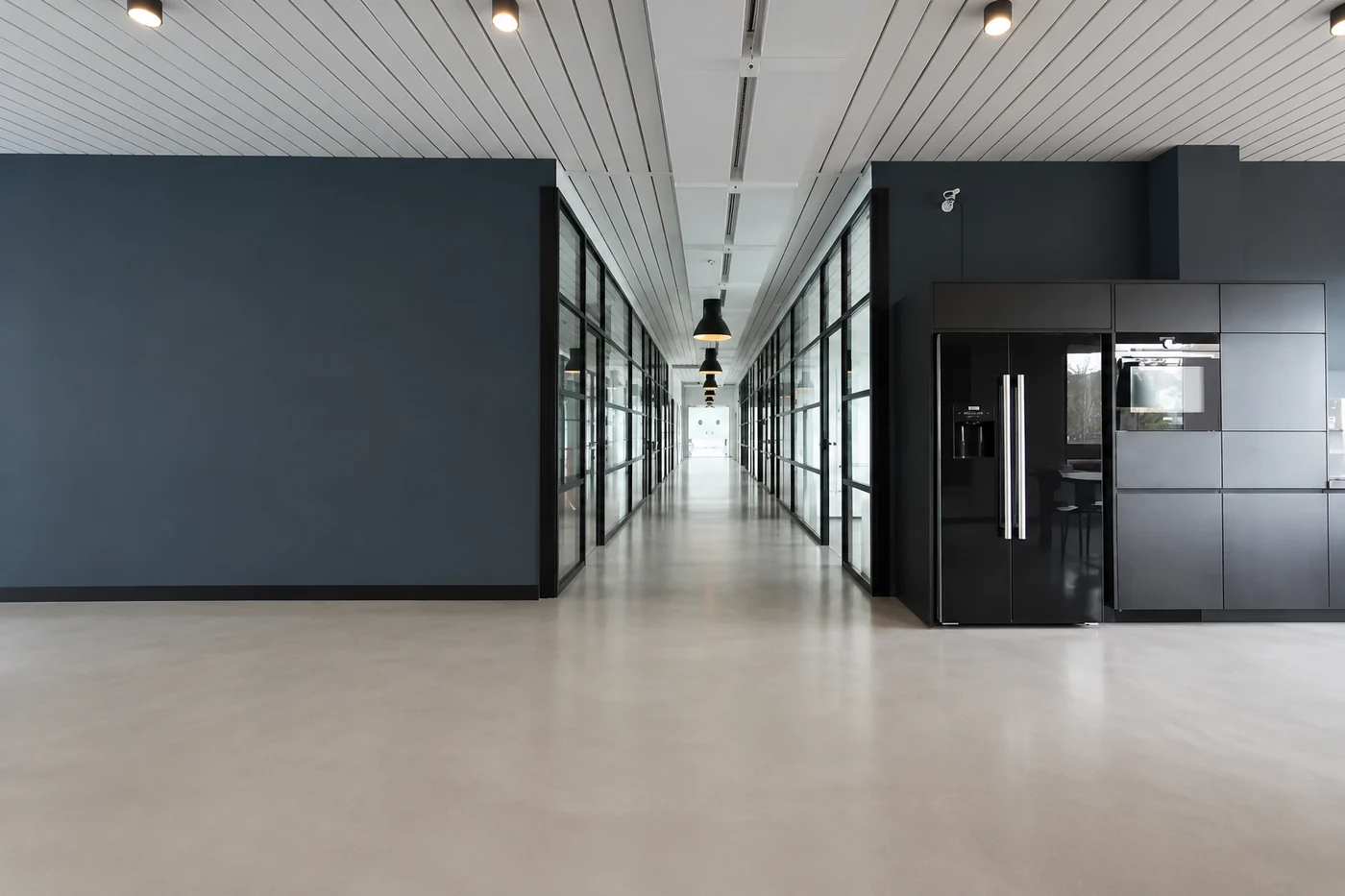
After: compare the fixed lights and right-side equipment item by item with the source.
Common problems and adjustments
| Problem | What to try |
|---|---|
| Furniture outlines or shadows remain | Name the object and its position, such as “remove the low coffee table in the center and its shadow.” |
| Walls bend or openings move | Request the original perspective and all door and window positions, then regenerate from the source. |
| A built-in, air conditioner or wall light disappears | Specify the retained item and location, such as “keep the air conditioner above the left window.” |
| Flooring repeats unnaturally | Use a photo with more exposed flooring. Do not infer the actual hidden material from the reconstruction. |
| The room looks larger | Check corners, openings and flooring for distortion. Do not estimate dimensions from the empty-room concept. |
The following is an actual retry from this example set. The first output retained the rear low cabinet and changed its material. A more specific instruction to remove that cabinet, retain the mirror and avoid new openings produced a more suitable result.
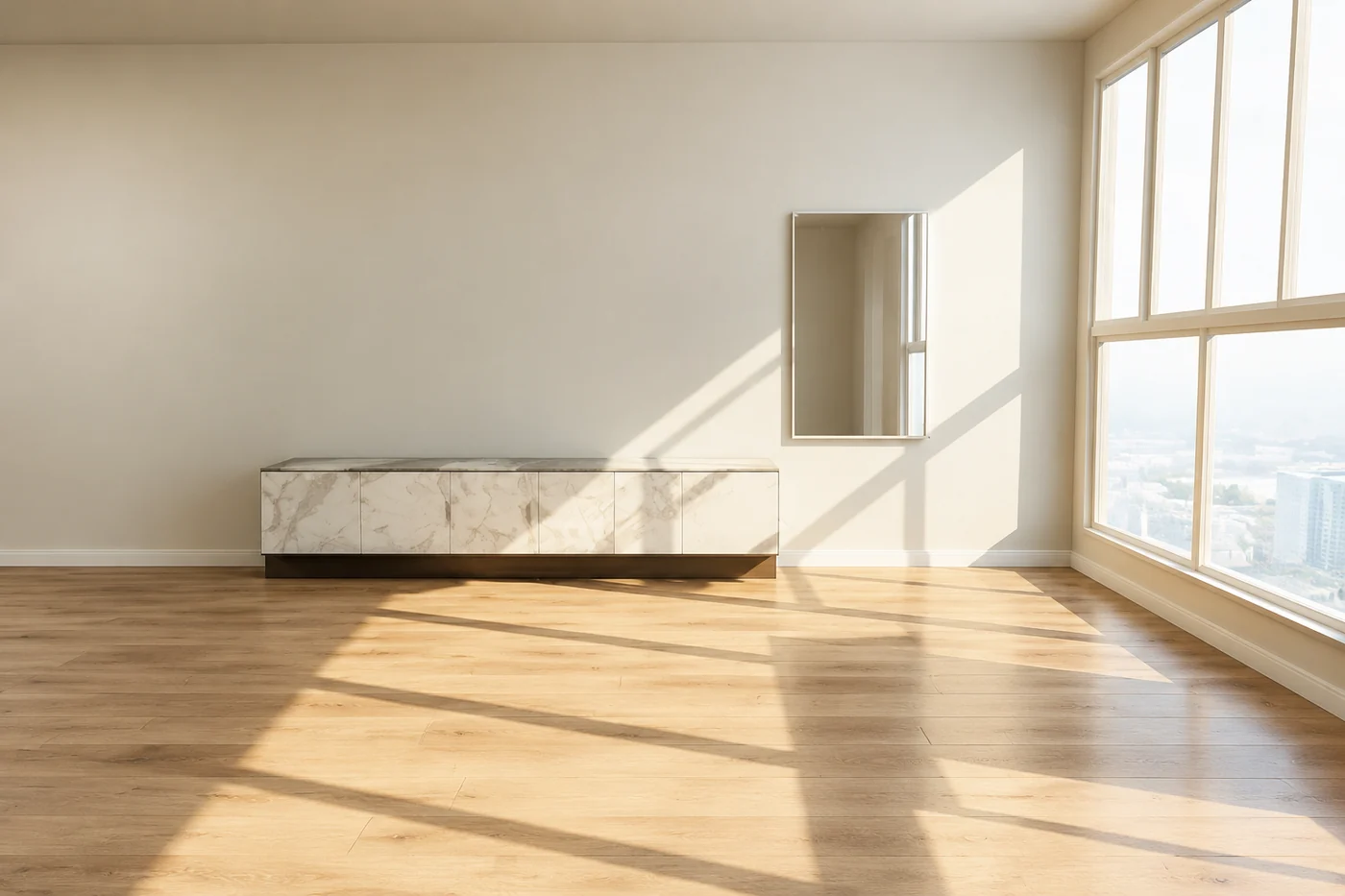
First attempt: the rear cabinet was retained and needed a specific correction.
After refinement: the cabinet is removed and the mirror remains. Review the entire room again after every retry.
What comes next?
Use AI Virtual Staging to explore furniture for a property presentation, or AI Interior Design to investigate materials, colors and a broader design direction.
If the empty view answers your question, keep it alongside the original. Showing both helps clients distinguish visible existing conditions from AI reconstruction.
An AI empty-room image is a visual reference, not a measured survey, construction drawing or property inspection. Verify dimensions, structure, materials and construction decisions through site measurements and professional documentation.
Try it: Upload a room photo to AI Empty Room, remove the existing furniture and explore another arrangement. Find more guides on the Eaveform Blog.